A tour of my AI work

This page is about the systems themselves. For background on me, see About or my technical journey; for what working together looks like, see Work with me.
AI hallucinations in legal briefs
The client needed to keep a human as the final decision-maker (a lawyer certifies every filing under Rule 11 and state bar rules, so citations can’t be automated away) while still speeding the review. I built a stoplight process that lets a paralegal or attorney focus on the passages that carry the most risk instead of re-reading everything. I delivered the proof-of-concept; the client’s development team is building the production version.
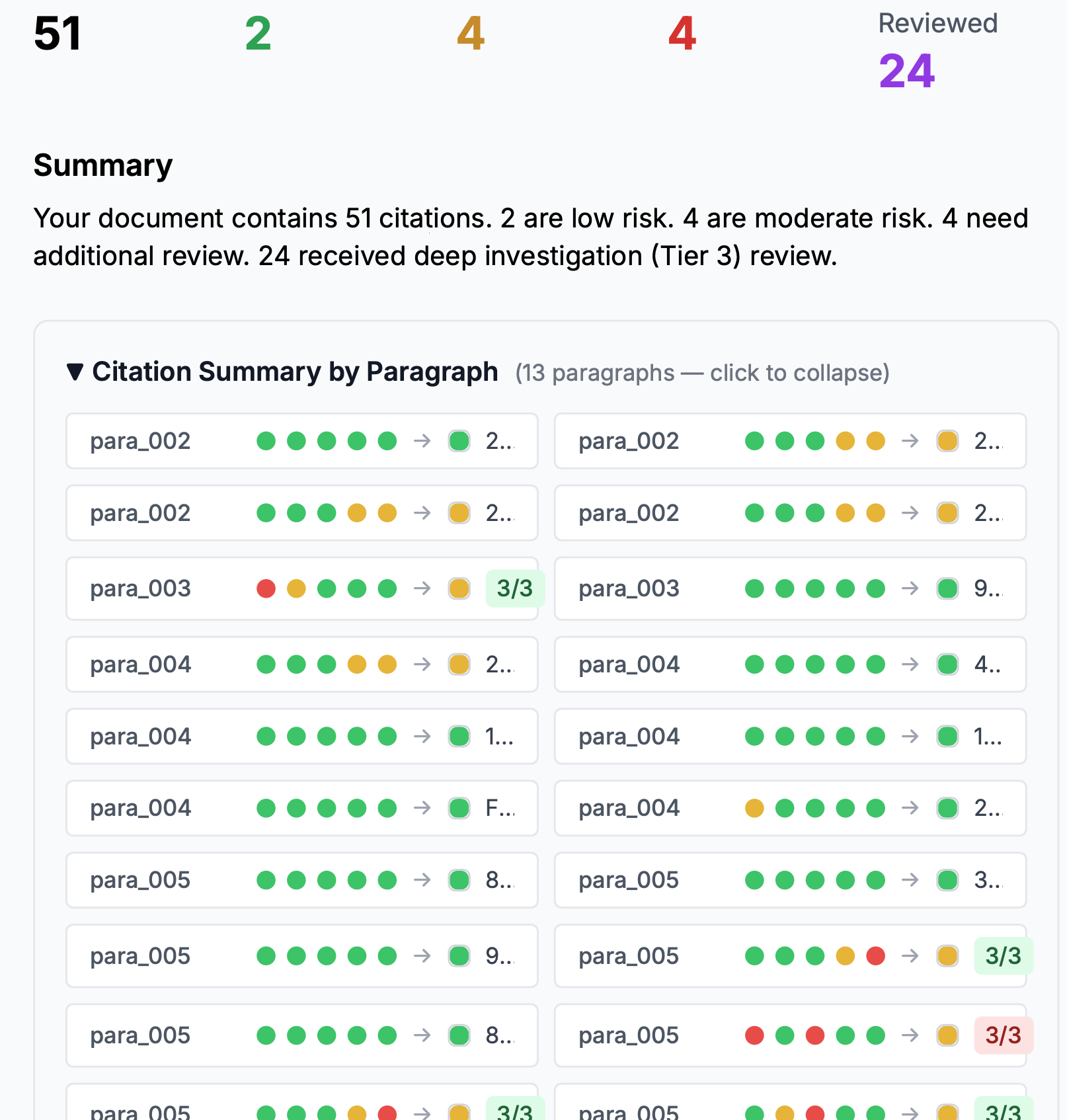
The validator’s summary view. 51 citations scored low / moderate / high risk, with the riskiest escalated to a deeper multi-model review tier.
- –Human as final decision-maker
- –Multi-LLM architecture
- –Panel design to drive an accuracy number
- –AI escalation: uses low-cost models to assess and spends expensive model calls only where necessary
- –AI triage of technical and regulatory content
The time and effectiveness of a marketing team
An in-house B2B marketing team was carrying twelve people across LinkedIn, email, blog, SEO, and sales outreach. I built a coordinated AI system that sized each task to the smallest model that could do it (Haiku for high-frequency work, Sonnet for the judgment calls), behind a deterministic harness that handled sequencing and formatting so the models only did what actually needed a model. Custom MCP connectors wired it into the real stack (Apollo, HubSpot, a custom Outlook connector), with sales staff reviewing every outbound message. The team went from twelve to 2.5 FTE at roughly $33 a month in model spend.
The marketing system running end-to-end.
Full write-up: $33 in incremental AI spend →
- –Cost-effective LLM workflow
- –Efficient AI harness
- –AI workflow orchestration
- –MCP
- –Multi-business-system API implementation
- –Coordination across business surfaces
A structured dataset of executive interviews for media analysis
This started as a body of interviews to train on and a proposed AI interviewing tool, and evolved into an executive-interview media-analysis platform. A low-cost batch pipeline turns raw interviews into a vector-searchable dataset at high volume, delivered through a chat interface anyone can query in plain language.

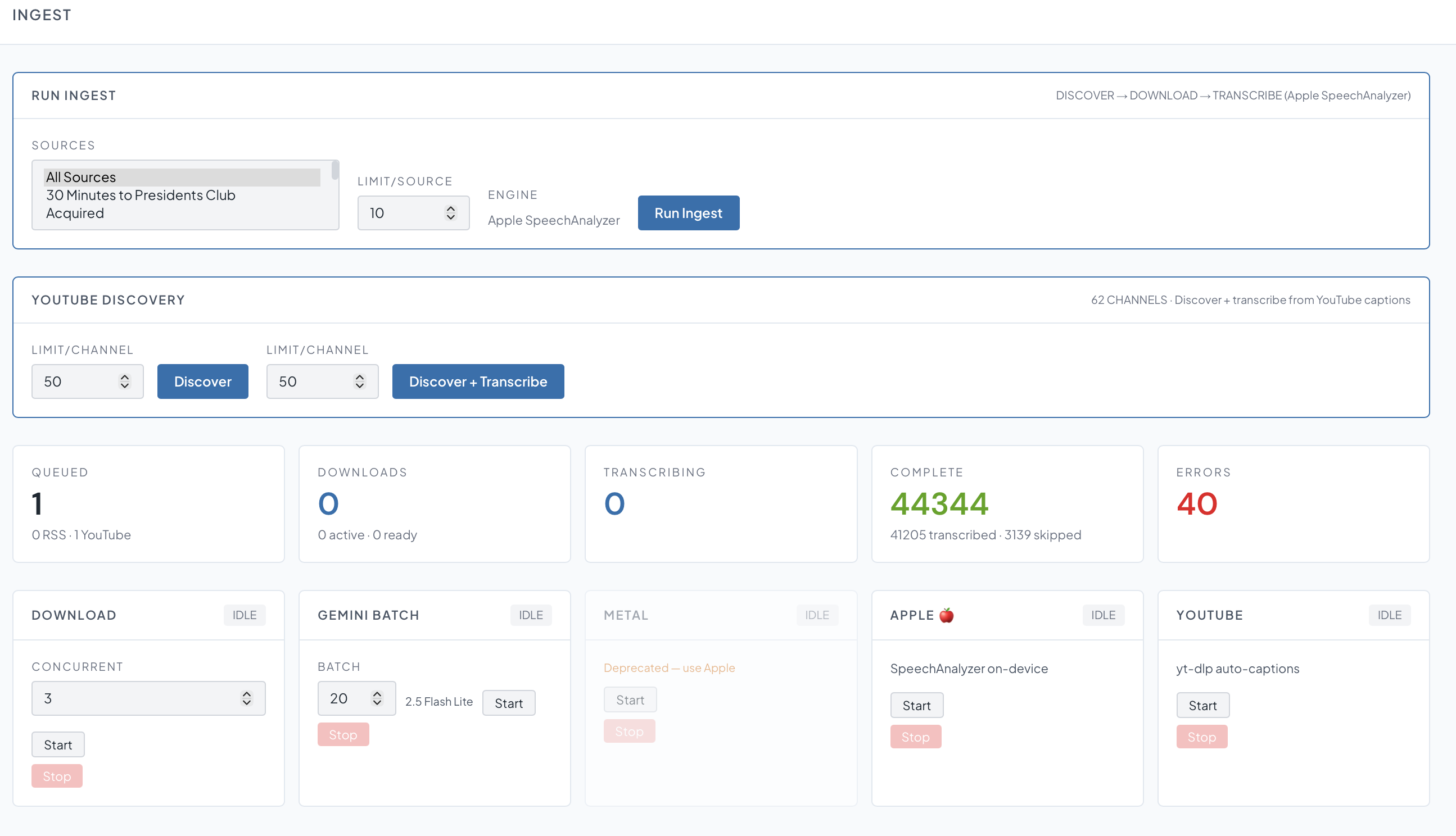
Ingest: discover, download, and transcribe interviews and podcasts from dozens of sources (Apple SpeechAnalyzer on-device, YouTube). 44,000+ transcribed.
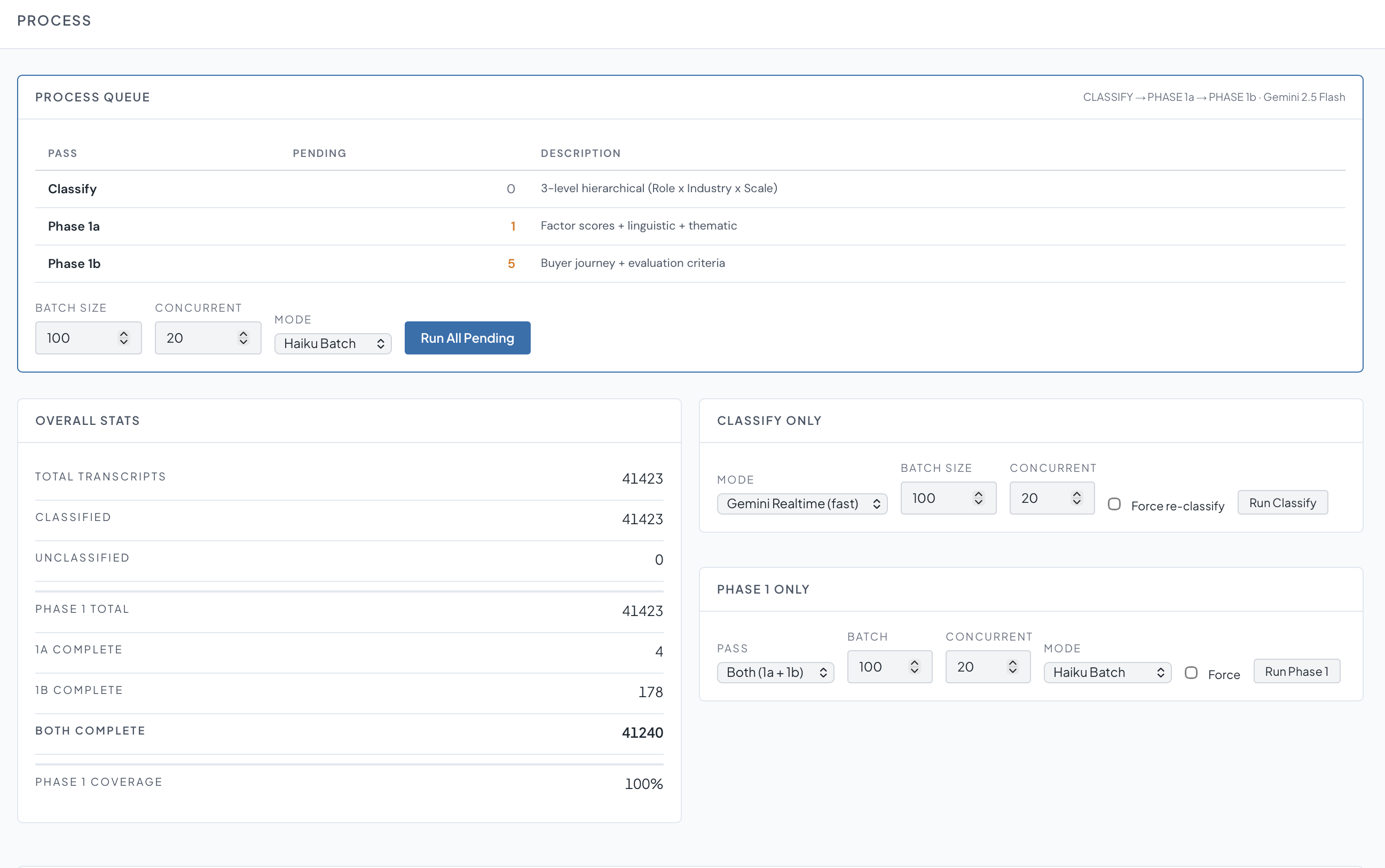
Process: a batched, multi-pass classification pipeline that runs a 3-level role × industry × scale taxonomy, then thematic and buyer-journey scoring across 41,000+ transcripts.
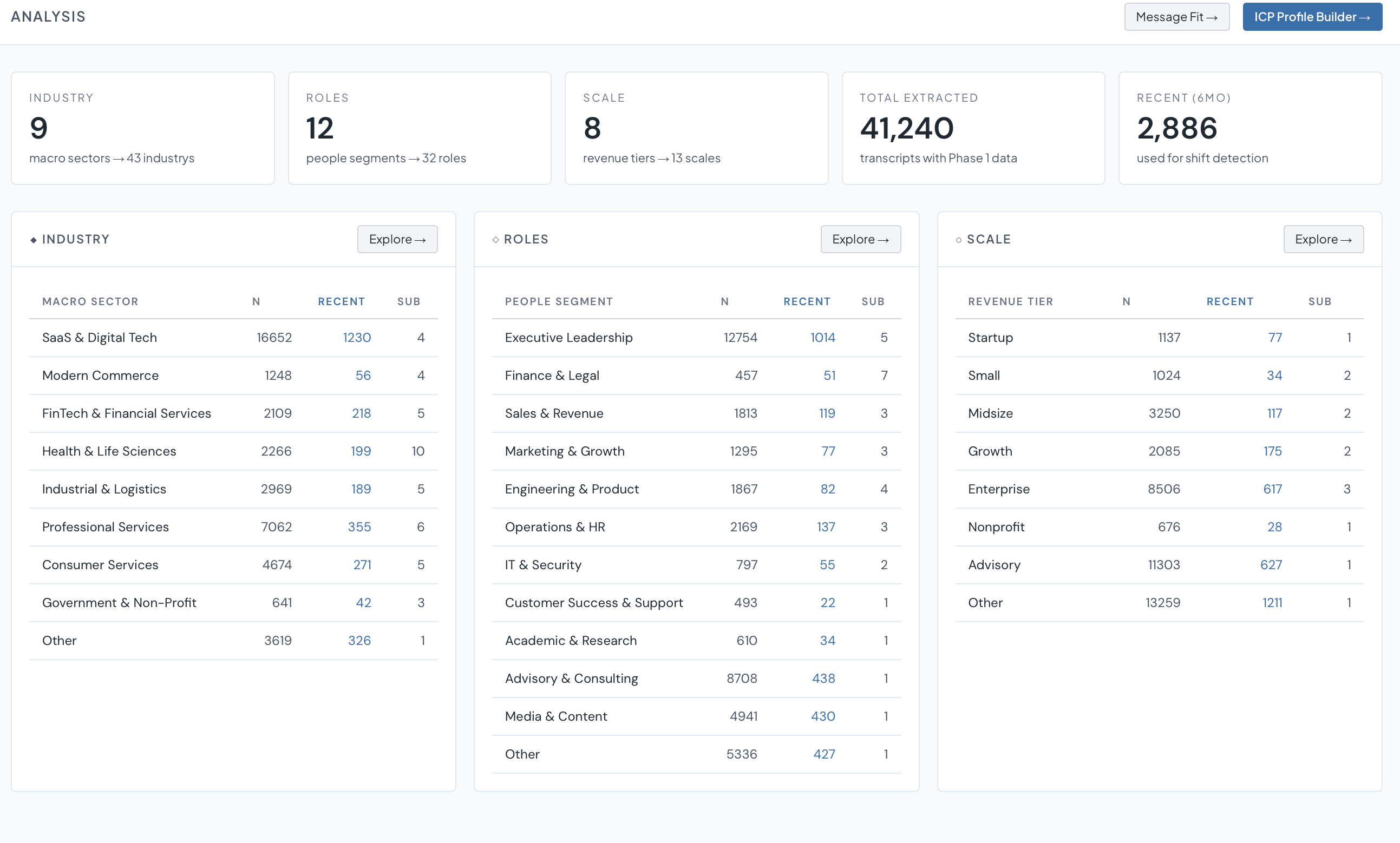
Analysis: the queryable payoff. Industry, role, and company-scale breakdowns feeding media analysis and an ICP profile builder.
Ingest → Process → Analysis · swipe →
- –Large-volume, low-cost workflow
- –High-volume batch processing
- –Vector storage and retrieval
- –Local production and remote delivery
- –Chat interface
Creating a shared context for a person and their agents
Kyle is a shared notebook between a person and their AI: with either able to create notes that appear instantly for the other. The app is a native iPhone, iPad and Mac app and is exposed to on-device Siri and Apple Intelligence and to other connected agents. It creates a shared context the AI agent or person can access at any time and any place.
Kyle on iPhone: agent-written notes, live on device.
mdEdit is the local-only version of the same idea: a native macOS markdown editor where Claude reads and edits your open documents live over MCP, entirely on your Mac — no cloud, no copy-paste. Free and open source.
- –Client mobile applications (iPhone / iPad / Mac)
- –MCP
- –Dashboards and reporting
I am happy to go over any of these projects in detail. If you have any questions, let me know.
This page was written with Claude in mdEdit — a native Mac editor I built so Claude and I can edit documents live, on my Mac. Free.